NubiferAI
Describe what you want to build, deploy, or change in natural language. NubiferAI generates infrastructure-as-code, deployment scripts, and operational plans using AI providers you control.
How It Works
You describe it    -->    Seed interprets    -->    AI generates    -->    You review    -->    Execute
"Deploy Flask to       aws-deployer seed         Terraform +            Check the           One-click
 ECS with ALB"         focuses the AI            ECS task def           generated code      deploy
- Describe what you want in plain English
- Seeds (AI personas) focus the AI on the right domain
- AI generates infrastructure-as-code, scripts, or operational plans
- You review every action before anything runs
- Execute with confidence — nothing runs without your approval
Desktop App
NubiferAI includes a native GTK 4 / libadwaita desktop application with a prompt-driven workflow and one-click quick actions.
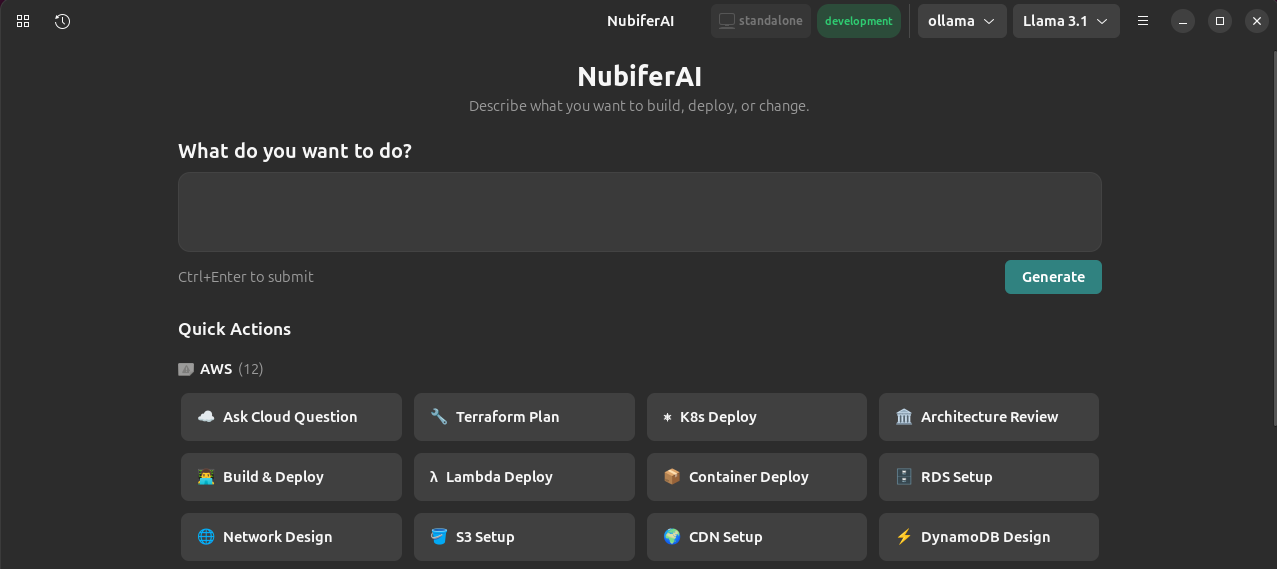
Home page — describe what you want or pick a quick action
Quick Actions by Cloud Provider
Pre-built actions organized by category: AWS, Google Cloud, Azure, FinOps, DevOps, and Security. Click one to start immediately.
Seeds (35+)
Seeds are AI personas — specialized system prompts that give NubiferAI deep expertise in specific cloud domains. Each seed shapes how the AI thinks, what tools it uses, and what output format it produces.
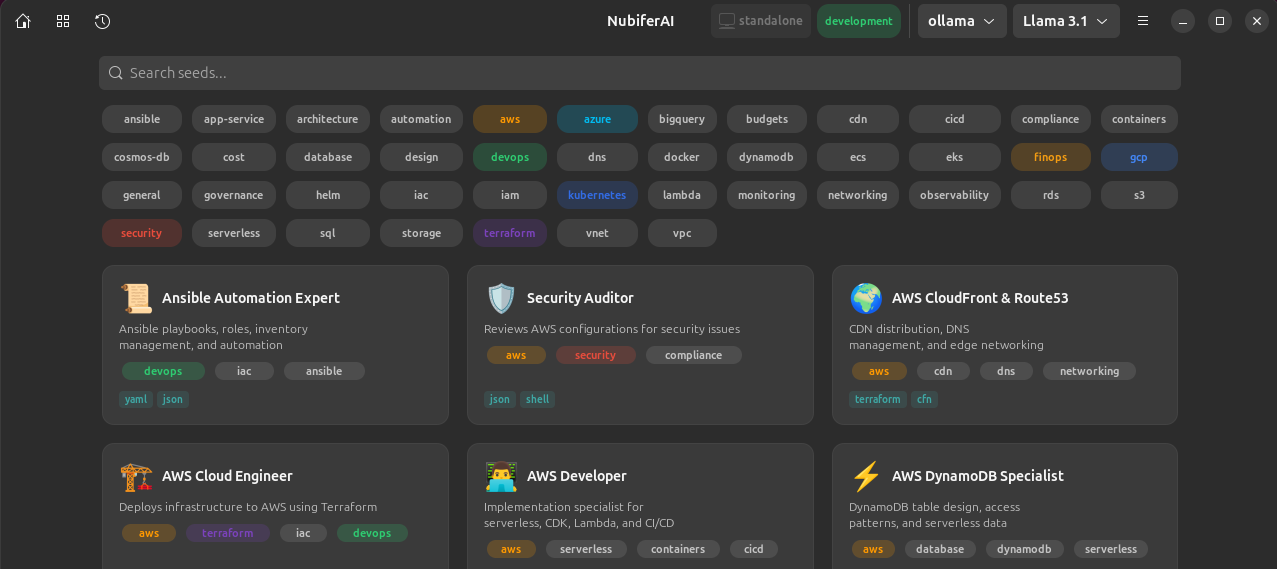
Seeds browser — search and filter by tag

Seed cards — each specialist with its tools and output formats
| Category | Seeds | Examples |
|---|---|---|
| AWS | 12 | Cloud Engineer, Solutions Architect, Lambda Specialist, IAM Specialist |
| Google Cloud | 5 | GCP Engineer, BigQuery Analyst, GKE Specialist |
| Azure | 5 | Azure Engineer, AKS Specialist, Cosmos DB Expert |
| FinOps | 4 | Cost Optimizer, Budget Analyst, Reserved Instance Planner |
| DevOps | 4 | Ansible Expert, Kubernetes Expert, CI/CD Specialist |
| Security | 1 | Security Auditor |
| General | 1 | General Cloud Assistant |
You can also create custom seeds for your team's specific workflows.
AI Providers
Switch providers at any time — use free local models for testing, or premium APIs for production quality.
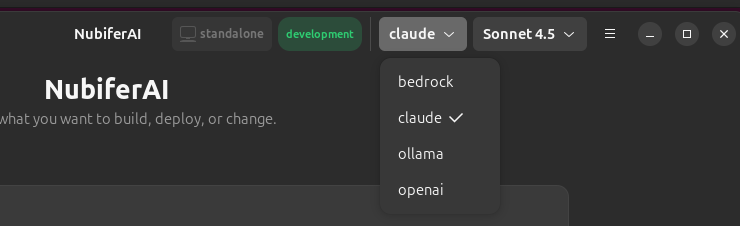
Switch providers and models from the header bar
| Provider | Cost | Best For |
|---|---|---|
| Ollama | Free | Testing, privacy, offline use |
| Claude (Anthropic) | Paid | Best quality for infrastructure planning |
| OpenAI | Paid | Alternative premium option |
| AWS Bedrock | Paid | Enterprise, uses existing AWS credentials |
Integration
When running on NubiferOS, NubiferAI automatically inherits your workspace context — no extra configuration needed.
| Feature | Standalone | On NubiferOS |
|---|---|---|
| Workspace detection | Manual | Automatic |
| AWS credentials | API key required | Inherited from workspace |
| Safety classification | User-configured | Workspace-enforced |
| Bedrock access | Separate credentials | Uses workspace AWS credentials |
| Provider switching | All available | All available + Bedrock auto-configured |
Install
# On NubiferOS (recommended)
sudo apt install nubifer-ai

# Standalone
python -m venv .venv && source .venv/bin/activate
make install

# Launch the GUI
nubiferai-gtk

# Or use the CLI
nubiferai front "Deploy a Flask app to AWS ECS with ALB"
Documentation
| Topic | Description |
|---|---|
| Getting Started | Installation, first launch, your first nucleation |
| AI Providers | Setup guides for all 4 providers |
| GUI Application | Complete desktop app walkthrough |
| Seeds | All 35 seeds, custom seed creation |
| NubiferOS Integration | Auto-detection, credentials, safety enforcement |
Source Code
NubiferAI is open source under GPL-3.0.
| Resource | Link |
|---|---|
| GitHub Repository | github.com/nubiferos/nubiferai |
| Issue Tracker | Report a bug |
| Discussions | Ask questions |